What Is GHL API V2? Simple Guide for Agencies and Businesses

Want to connect GoHighLevel with your other tools easily? GHL API V2 is designed to make your workflow smoother. It allows GoHighLevel to talk directly with other apps and systems. Contacts, leads, and custom data stay updated automatically.
You can trigger actions, sync pipelines, and move data without doing it by hand.
For agencies and businesses, this is a huge time saver. You can connect tools like Zapier, CRMs, websites, or even custom apps. The setup is simpler than older API versions. With GHL API V2, you can build smarter automations, track leads faster, and improve client results.
In this guide, you will learn exactly what GHL API V2 is, how it works, and why it matters for growing your business efficiently.
A short detail on what the GHL API V2 is?
Want to connect GoHighLevel with other tools you already use? That’s where GHL API V2 comes in.
GHL API V2 is a way to let GoHighLevel talk to other apps and software. It enables the entry and exit of data into and out of your GHL account without manual effort. It is used by agencies and businesses to interconnect CRMs, websites, payment tools, and custom systems.
This is important as automation saves time and minimizes errors. GHL API V2 empowers you to create smoother processes and smarter systems.
The Difference between GHL API V2 and V1:
GHL API V2 is more advanced in comparison with the older ones. It is simpler to operate, more reliable, and has a variety of features.
Key differences include:
These upgrades make it easier to build and manage integrations without headaches.
Key Features of GHL API V2
GHL API V2 gives you the power to connect GoHighLevel with other tools you use every day. It helps your systems work together without manual effort.
It promotes real-time updates and is easily integrated into automated workflows.
Read this: GoHighLevel vs Salesforce for Small Businesses: Which CRM Is Better in 2026?
Simple Steps: How GHL API V2 Works.
GHL API V2 operates on the principles of letting GoHighLevel share information safely with other tools. You do not have to be a developer to get the fundamentals. It is a process that is easy.
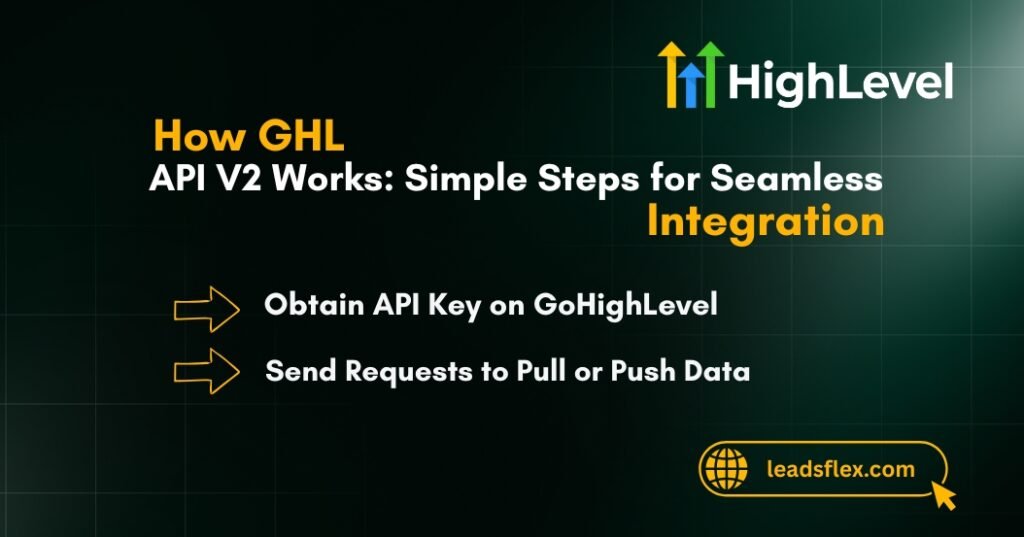
Obtain API Key on GoHighLevel.
First, you need an API key. Other apps can access your GoHighLevel account with this key.
This key works as a password that regulates access to your data.
Set Up Your Endpoint
A destination is where data is transmitted or received.
The step informs the system where the data is supposed to be.
Send Requests to Pull or Push Data
Once the endpoint is ready, data can move between systems.
This keeps all your tools in sync.
Use It with Zapier or Custom Apps
GHL API V2 works well with automation tools and custom software.
This makes your systems smarter, faster, and easier to manage.
Read this: GHL vs HighLevel: Is There Any Difference or Are They the Same Platform?
What are Common Use Cases for GHL API V2?
GHL API V2 is mainly used to connect GoHighLevel with other systems and keep data flowing smoothly. Agencies and businesses use it to reduce manual work and improve accuracy.
How to Set Up GHL API V2?
Setting up GHL API V2 does not have to be difficult. If you follow each step slowly, even beginners can connect their tools without stress.
Get Your API Key
First, you need to log in to your GoHighLevel account. Click on the settings section and locate the API. Create an API key and copy it. Use this key to access a secure connection with other tools to your GHL account, and keep it private.
Choose Your Tool or App
Then choose your API usage. You are able to integrate GHL with such tools as Zapier, Make, or a custom-built app. Choose the one that suits your needs and level of skills.
Add Endpoint Settings
Next, enter the appropriate endpoint information into the tool of your choice. This step instructs the system on the data to be sent or received, including contacts, leads, or pipeline updates.
Test the Connection
Before going live, run a test. Ensure the flow of data is going in the right direction, and no errors are present. By testing at an early stage, problems are prevented at a later stage.
Move Your Data
When all works, begin to synchronize real data. Leads, contacts, and updates will now move automatically.
Stop wasting time on manual tasks. GHL API V2 helps you focus on growth while your systems work in the background. Book a Free Consultation and avoid setup mistakes
Why Agencies Love GHL API V2?
Agencies rely on GHL API V2 because it simplifies work and improves results.
GHL API V2 gives agencies control, speed, and smarter systems—all in one place.
Read this: ClickFunnels 2.0 vs GoHighLevel Funnel Builder – Features, Pricing & Best Choice
Conclusion:
GHL API V2 makes connecting GoHighLevel with other tools simple and reliable. It keeps your data synced automatically and reduces manual work.
It is popular among agencies, as they can handle a number of clients without having to mix various tools.
It helps businesses save time, enhance efficiency, and develop better automated systems. You can also freely use it with webhooks and third-party apps.
Set up small, test, and then increase your integrations over time. The automation using GHL API V2 is quicker, simpler, and stronger than ever.